
Use the model’s specified battery and power arrangements; matching a plug is not enough.
Start with your longest normal session
A scanner that is comfortable for a short desk session may need a different power plan for an afternoon away from a socket. Decide how long you normally listen, whether mains or vehicle power is available, and whether interrupting a session to charge would matter.
Do not turn a manufacturer’s runtime claim into a promise for your routine. Display settings, audio use, battery condition and the configuration can change the result. If you need dependable portable operation, budget for a documented spare-power arrangement and learn its actual behaviour before relying on it.
Battery systems are not interchangeable
The BC125AT manual describes AA alkaline and NiMH operation with a battery-type switch. Its charging instructions apply to the specified rechargeable cells, not to disposable alkaline cells. The SDS100 instead has a model-specific lithium-ion battery arrangement. These examples show why generic “scanner battery” shopping is a poor starting point.
Check the exact model and accessory number. Even a battery from the same manufacturer may differ in its electrical requirements, physical fit or cover. Never attempt to charge a battery type that the radio’s instructions prohibit.
A spare battery and an external charger do different jobs
A spare battery lets you exchange the energy source; an external charger determines how you replenish the spare. Uniden identifies BPS100 as an SDS100 battery and describes pairing it with its EBC100 charger. That is a specific supported combination, not an invitation to mix similarly shaped packs.
Map your routine before buying both. If the radio stays beside a suitable power source, a spare may add less value than it would for someone who carries it all day. Keep the charging equipment and battery instructions together so that a future replacement follows the same compatibility checks.
Desktop and vehicle power need their own checks
Read the required supply voltage, polarity, connector and current specification in the exact scanner’s documentation. Do not assume that a plug which fits is electrically appropriate. For vehicle installation, follow the manufacturer’s instructions and use suitable installation help where the work extends beyond plugging in an approved accessory.
Keep cables away from moving controls and avoid a setup that pulls sideways on a small connector. Plan where the adapter and excess cable will sit. A tidy power arrangement is easier to inspect and less frustrating to use than a chain of unverified adapters.
Make power part of the purchase comparison
Compare complete usable setups: radio plus any genuinely needed spare battery, charger and approved adapter. Check the seller’s box contents before duplicating something already supplied. Avoid buying every accessory at once simply because it appears in a recommended-products list.
For a used scanner, ask about the battery’s condition and confirm the supplied adapter’s identity. Treat an unknown battery history as a reason to budget for inspection or replacement, not as a basis for a runtime estimate. Our recommendations focus on documented compatibility; they do not claim measured battery endurance.
Put it into practice
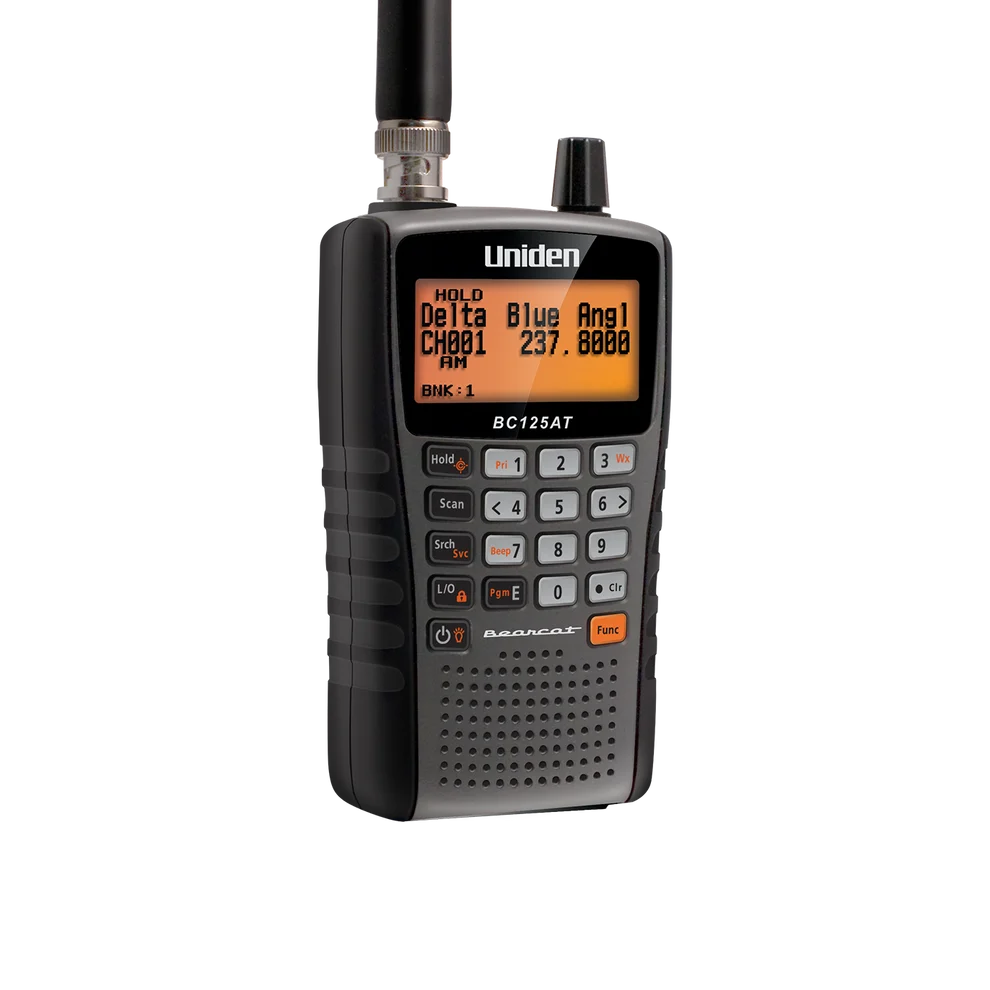
Conventional analog listening where readable channel names matter
Cannot receive digital voice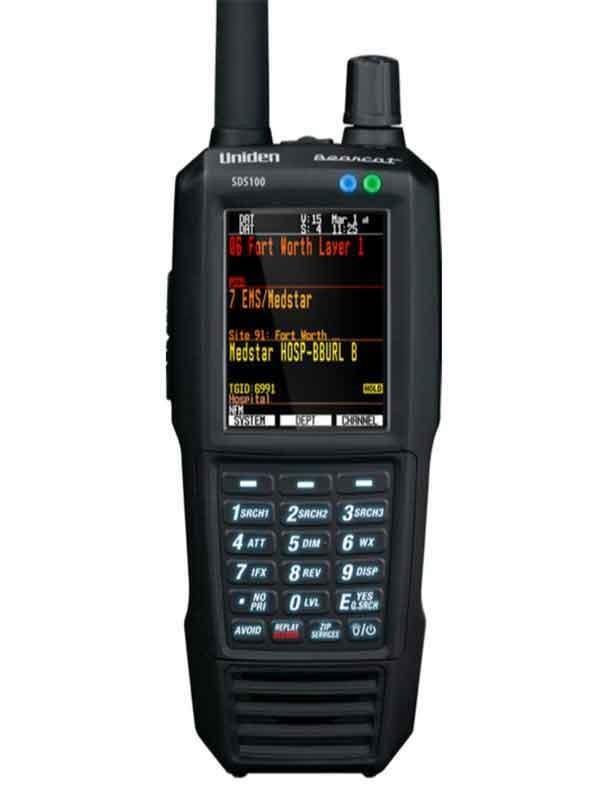

Listeners who need a portable P25 scanner and want to evaluate the SDS receiver design for local simulcast
External GPS adds hardware and cabling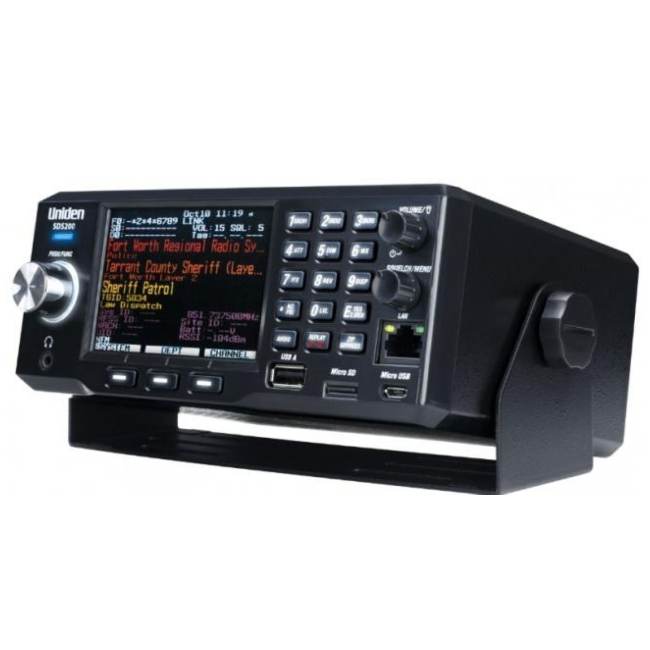

A fixed listening station or an installed mobile setup
Requires an external power arrangementSources & further reading
- Uniden BC125AT owner’s manual ↗Checked 2026-11-06
- Uniden BPS100 battery ↗Checked 2026-11-06
- Uniden SDS200 owner’s manual ↗Checked 2026-11-06
- Uniden BCT15X / BCD996XT hardware installation ↗Checked 2026-11-06