
THE SHORT VERSION
Our verdict
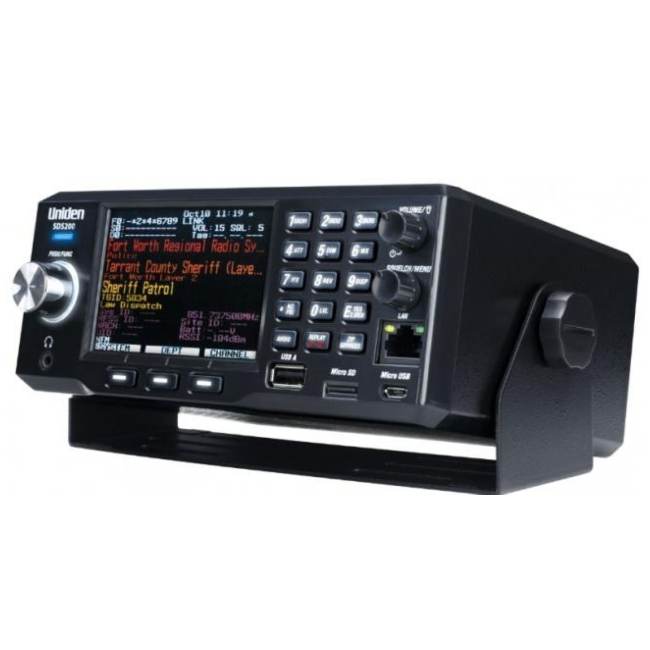
The SDS200 is our installation-first SDS choice. Consider it when a radio will stay at a desk or in a properly planned vehicle setup and portability would add little. Its larger display, external power and Ethernet connection suit a listening station that you can organise around the receiver. The buying question is not whether a bigger scanner hears further: antenna placement, the local system and the receiver’s capabilities remain separate issues. We recommend comparing it with the handheld SDS100 on how you will use it, then checking whether the digital-system features are justified for your area.
A good fit for
A fixed listening station or an installed mobile setup
Consider something else if
You need a battery-powered scanner to carry between locations
Reasons to consider it
- I/Q receiver designed for digital-system reception
- Large configurable display for an installed station
- Ethernet connectivity for supported control/streaming workflows
Trade-offs to know
- Requires an external power arrangement
- GPS and some format upgrades add to the complete setup
AT A GLANCE
The important details
- Format
- Base / mobile
- Signal
- Analog + digital
- Trunking
- Yes — supported systems
- P25
- Phase I & II
- GPS
- External receiver required
- Power
- External AC / DC
- Programming
- Sentinel; HomePatrol database
Specifications are drawn from the linked documentation. Confirm the exact model, current firmware and included accessories with the manufacturer before purchase.
A station rather than a pocket radio
The base/mobile format encourages a permanent arrangement for power, antenna and audio. Before selecting it, decide where the display can be read and where cables will run. A receiver that fits a shelf can still be awkward if its rear connections have no clearance. For a vehicle, plan a secure mounting location and establish the applicable local rules. Installation convenience should be part of the decision before accessories are ordered.
The digital-system case
Uniden specifies P25 Phase I/II trunking, an I/Q receiver, database-based location selection and a configurable colour screen. These specifications support shortlisting the SDS200 for modern digital monitoring. They do not establish that a particular signal will work inside your building. Our recommendation is conditional on the local system being monitorable and compatible. If reception is difficult, separate programming errors from antenna and signal-environment issues rather than immediately buying more software options.
Software, connections and optional equipment
Sentinel handles the database and programming workflow. Keep a saved copy of your configuration so adjustments can be reversed during setup. Ethernet may matter for a more elaborate listening station, but should not be treated as an essential feature for someone who only wants the front-panel controls. Automatic GPS-assisted location selection needs compatible external equipment. Confirm any paid digital-format keys against this exact model before adding them to the purchase.
Our buying decision
Choose the SDS100 or SDS150 if you frequently carry the receiver away from its installation. Compare the BCD536HP if you want a database-oriented base model and can verify that it meets your local reception needs. If only conventional analog channels matter, the SDS200 may be unnecessary equipment for the task. A useful comparison includes the mount, power, antenna and optional services, while keeping reception promises grounded in the actual place you will listen.
A practical check before ordering
Write down the installation dimensions and the direction in which each cable will leave the receiver. Then check whether the screen remains visible from your normal listening position. That simple exercise can identify a poor desk or vehicle fit before purchase. It also separates the value of the base format from unsupported assumptions about hearing more distant signals.
Accessories with documented model fit
These links use the exact-model source records. Read the individual fit and electrical requirements before ordering; a listed connector or model does not establish every use case.
- Uniden BNC telescopic antenna — An adjustable antenna for a desk setup
- Uniden base/mobile AC adapter — Power a compatible scanner at a fixed desk
- Uniden vehicle DC power cord — Use a compatible scanner from a vehicle outlet
- Uniden three-wire power harness — For a planned fixed vehicle installation
What else belongs on your shortlist?
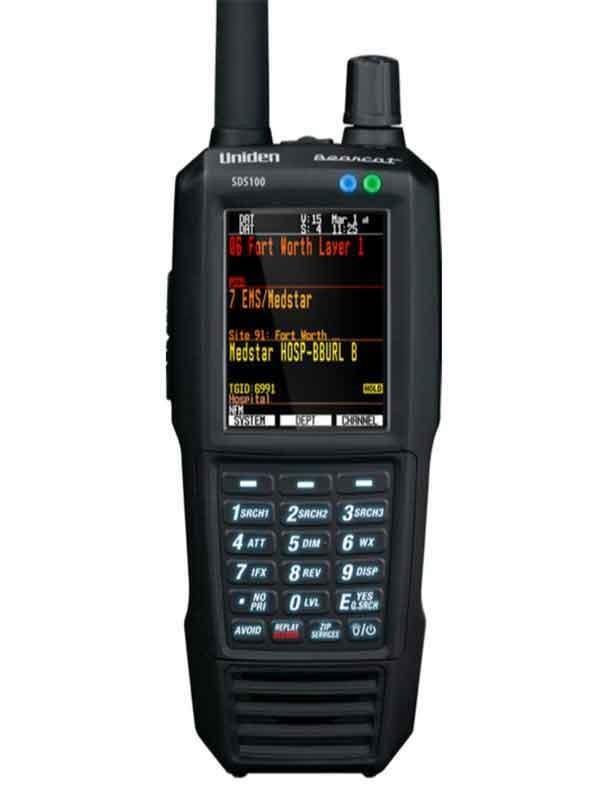

Listeners who need a portable P25 scanner and want to evaluate the SDS receiver design for local simulcast
External GPS adds hardware and cabling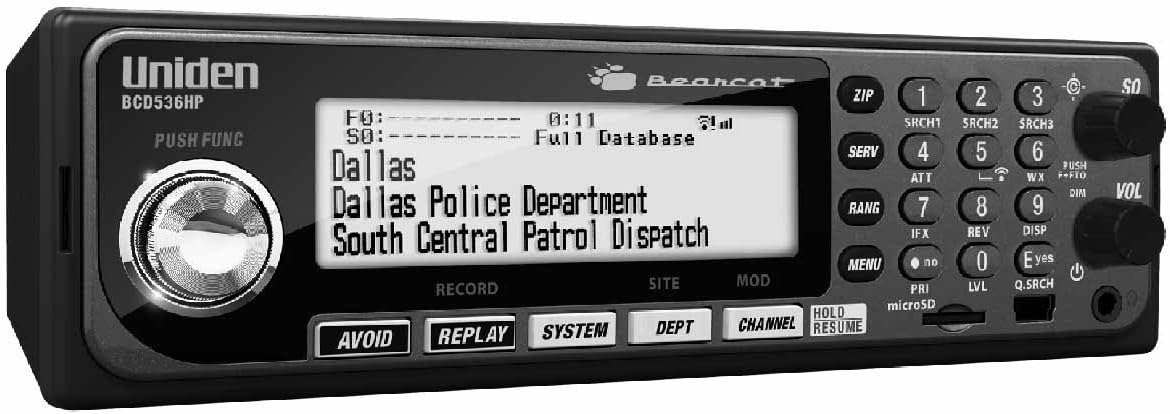
A desk or vehicle installation where database programming matters
Wi-Fi features require their own setup and compatibility checksCHECK THE EVIDENCE
Sources & specifications
- Uniden SDS200: manufacturer specifications ↗Checked 2026-11-06
- SDS200 downloads and manuals ↗Checked 2026-11-06
- Uniden scanner upgrade information ↗Checked 2026-11-06
How we choose and compare scanners. Match the model’s capabilities to your local radio systems before buying.